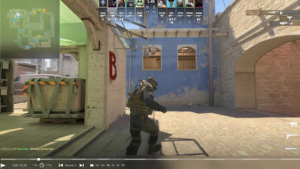
Learning how to use CS2 replays properly matters for two different reasons. First, demos are one of the best tools for reviewing mistakes, studying aim and utility, and building highlight content. Second, replay footage can become real money when it is turned into original content that meets platform monetization rules. The key distinction is important: the replay file itself is not the product. The value comes from what you do with it. Valve’s developer documentation confirms that demos can be played with playdemo, controlled through the demo playback tools, and exported into video through commands like startmovie.
That is why a serious guide to make money from CS2 replays has to cover both sides of the process: how to open and navigate demos, and how to turn those demos into original, monetizable work. YouTube’s monetization rules explicitly require content to be original and non-repetitious, and they also require creators to have the rights to commercially use all visual and audio elements in the content.
Twitch monetization, meanwhile, starts with Affiliate eligibility, which currently requires 25 followers, 4 hours streamed, 4 different streaming days, and an average of 3 viewers within a 30-day period. For CS2 creators, that matters because replay-based content can help build the kind of audience that later pays attention not only to gameplay, but also to the wider scene around collecting, trading, and how players sell cs2 skins for real money.
How the CS2 replay system actually works
In Counter-Strike terms, a replay is usually a demo file. Valve’s developer documentation explains that the Source demo format records events that can later be played back, and the current Counter-Strike 2 command lists still include playback controls such as playdemo, demo_timescale, and demo_togglepause. Valve’s demo tools documentation also notes that the Demo Playback window lets you pause, resume, change speed, and move your camera viewpoint.
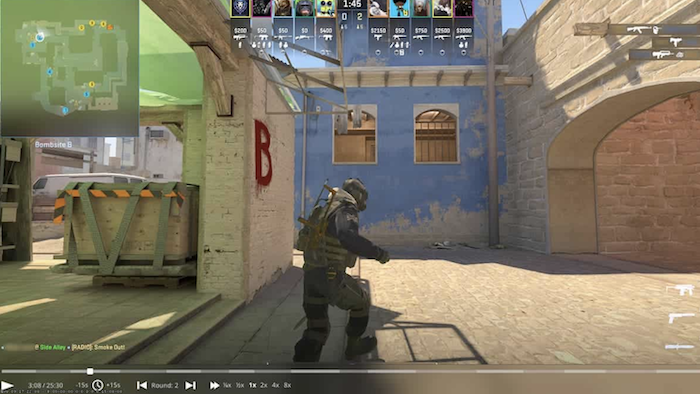
That matters because the CS2 demo viewer is not only for watching a match once. It is useful for slowing down gunfights, checking angles, reviewing utility, and capturing the exact perspective you want for content. One of the simplest practical details from Valve’s documentation is that the demo playback window can be opened with Shift+F2 or the demoui command during playback.
The basic workflow: record, open, review, export
The easiest way to understand how to record CS2 replays is to break the process into four stages.
Stage What you do Relevant command or tool Why it matters
Record Capture a demo while playing record “name” Creates a demo file you can analyze later
Open Load the replay in-game playdemo name Starts playback of the saved demo
Review Control speed, pause, and timeline Shift+F2, demoui, demo_timescale, demo_togglepause Lets you study or capture exact moments
Export Turn the demo into video startmovie Converts replay moments into shareable footage
How to watch CS2 replays in practice
If your goal is just to watch a match, the process is straightforward. Start the game, open the developer console, and launch the file with playdemo. Once the replay is running, use Shift+F2 or demoui to open the playback controls. Valve’s documentation confirms that the playback window supports timeline movement, speed adjustment, and camera viewpoint management. The CS2 command list also confirms that controls like demo_timescale and demo_togglepause are still available.
From there, the replay becomes much more than a spectator tool. You can isolate a clutch, review a misplayed site hit, or follow a single player through an entire half. That is why the CS2 demo viewer remains useful even for people who never plan to publish content. It is one of the few ways to slow the game down enough to see what actually happened.
How replay footage becomes real-money content
The real monetization side begins when replay footage turns into something original. A raw demo is not much of a business. A replay-based breakdown, frag movie, edited short, coaching review, or tournament-analysis channel can be.
There are several practical ways to monetize CS2 replays:
- Turn demos into original YouTube videos, analysis clips, or Shorts.
- Use replay breakdowns in Twitch streams focused on coaching or review.
- Offer replay reviews as a paid skill-analysis service.
- Edit frag movies or highlight packs for players and teams.
- Build educational content around positioning, utility, and decision-making.
The biggest mistake people make
The most common mistake is assuming replay footage is automatically monetizable because it is “just gameplay.” That is too simple. YouTube’s monetization rules focus on originality and rights, not just file format. Repetitious or minimally altered uploads are weaker monetization candidates. That means the safest route is to treat demos as raw material, not finished product. Use them to create commentary, education, entertainment, or editing work that clearly reflects your own effort.
This is also why how to record CS2 replays matters beyond personal review. Once you understand demo capture and playback, you can build a repeatable workflow: record matches, mark good rounds, open them with playdemo, control them with demoui, and export footage with startmovie or capture software for editing. That workflow turns demos into usable content assets instead of forgotten files, and it also helps explain why engaged viewers later buy CS2 skins after spending more time with the game’s wider content ecosystem.
Why LIS-SKINS Works for the Replay-and-Content Side of CS2
Replay content does not exist in a vacuum. A lot of the appeal of CS2 videos comes from the wider culture around the game, including loadouts, weapon choices, and visual identity. That is one reason LIS-SKINS fits naturally into the conversation: replay-based content often makes viewers notice more than the play itself. They notice the skins, the style, and the overall look of the match. In a game where presentation matters, that wider inventory culture stays connected to the content ecosystem.
As viewers spend more time watching highlights, guides, and edited demos, interest in skins naturally grows. LIS-SKINS makes it easy to act on that interest by offering a wide selection of skins at competitive prices, so users can recreate the looks they see in videos without overpaying.
With fast transactions and a simple buying and selling process, it becomes a convenient way to upgrade your inventory or sell CS2 skins when demand is high, especially for players who are actively engaged with the content side of the game.