
Old movies age the way forgotten film reels always do: unevenly, unpredictably, and sometimes with enough grain to make you wonder if time was actively trying to sabotage them. Whether you are digging up 8mm family footage, VHS transfers, or public-domain oddities, the material often arrives bruised, blurred, noisy, jittery, faded, or all of the above.
For decades, fixing this required expensive equipment and teams of restoration specialists. Now the job has been handed to a new AI intern, and surprisingly it knows what it is doing. Aiarty Video Enhancer is helping lead this quiet shift, giving filmmakers and enthusiasts a way to restore old movies with far more precision than you would expect from software that installs in under a minute.
Even better, Aiarty Video Enhancer is currently 36% off for a lifetime license, so you can finally start restoring old movies without paying a subscription.
Why Old Movies Deserve a Second Life
Restoration isn’t just nostalgia. It is preservation. Every frame of deteriorated footage holds a fragment of history such as an abandoned documentary reel, a cracked VHS wedding tape, a forgotten indie short that never found its audience.
Most archival material is in rough shape: colors drift, contrast collapses, motion jitters, and resolution sinks into a mush of pixels. Correcting all this manually is a slow, unforgiving task. AI changes that equation.
Aiarty Video Enhancer doesn’t simply sharpen or filter. Its models study motion, texture, grain, and edges, rebuilding missing information frame by frame. This pixel-level, frame-to-frame reconstruction keeps the personality of the original footage intact while making it look surprisingly cinematic. The only trade-off is time: low-quality or lengthy reels naturally take longer to process. But the results often justify the wait.
What Aiarty Video Enhancer Actually Fixes and Why It Works
Aiarty Video Enhancer combines multiple advanced capabilities designed to tackle the typical problems of old footage.
Intelligent AI Denoising & Deblurring: Beyond basic sharpening, Aiarty removes noise, artifacts, and compression damage while carefully preserving the natural film grain, so the footage retains its authentic texture rather than looking overly processed.
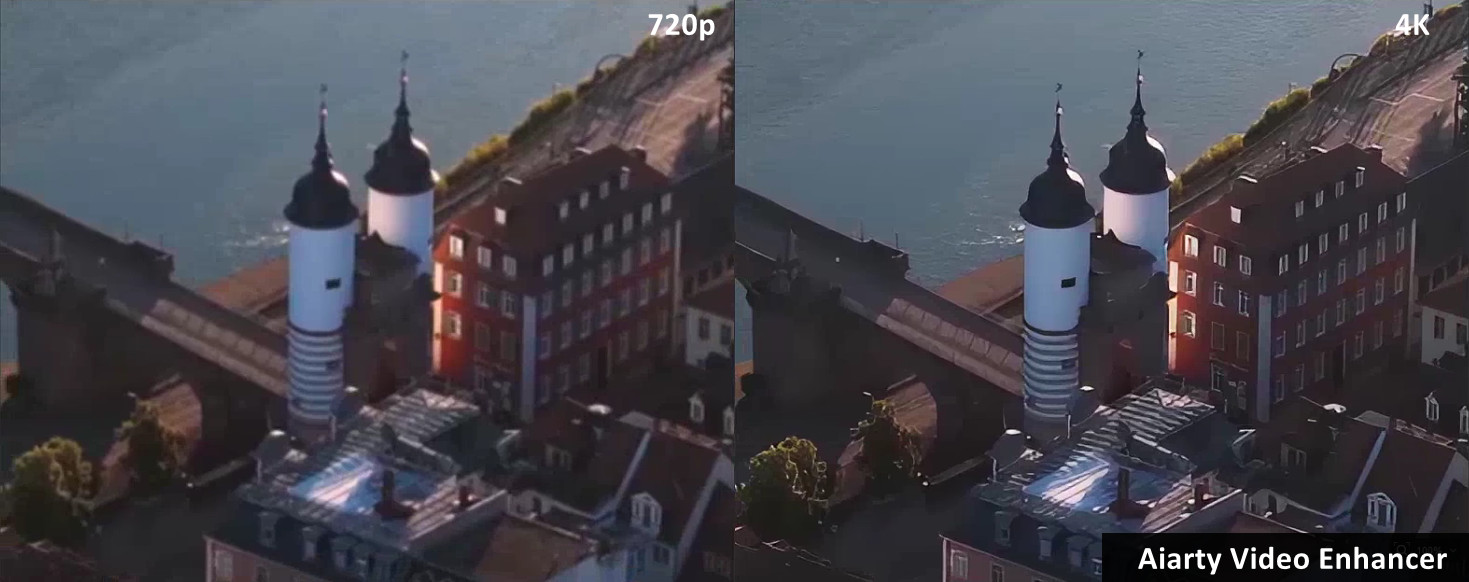
4K Upscaling: Low-resolution footage is reconstructed to 1080p, 2K, 4K, or even higher resolutions. The AI intelligently fills in missing details, making old clips look crisp and cinematic on modern screens without introducing artificial-looking edges.
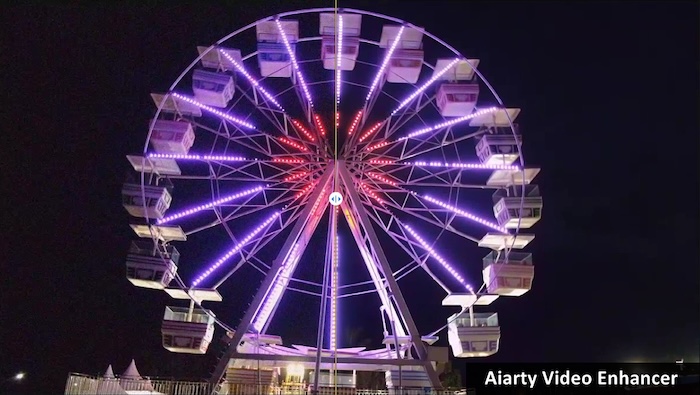
Frame Interpolation: Choppy, low-frame-rate footage, often 15–24fps, is smoothly converted to 30–60fps. This process preserves the original cinematic motion style while eliminating the jerky, teleporting effect typical of vintage recordings.
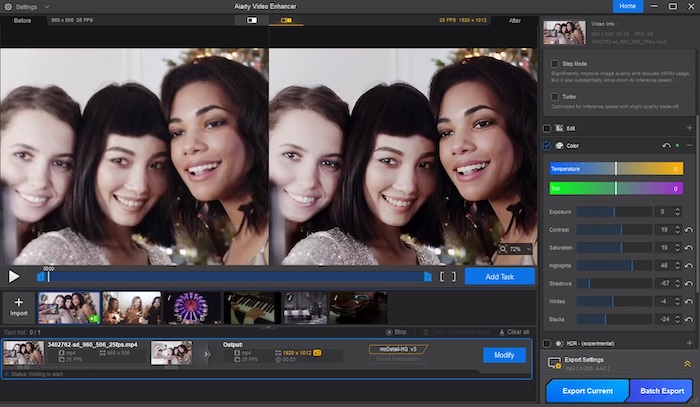
Color Adjustment: Faded tones, uneven exposure, or yellowed footage can be restored. Aiarty Video Enhancer enhances color temperature, tint, saturation, and contrast etc, giving new life to archival material while respecting its original aesthetic.
The software operates locally on your machine, ensuring privacy for sensitive archival footage and allowing the processing of large files without relying on cloud services, making it both efficient and secure for long restoration projects.
How to Restore Old Movies with Aiarty Video Enhancer (A Workflow Anyone Can Follow)
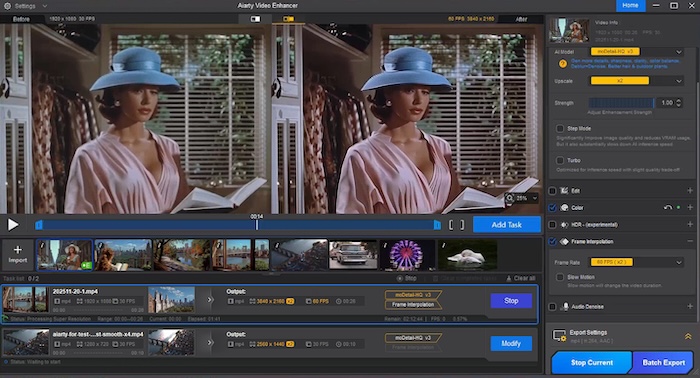
Step 1. Import Your Footage
Drag and drop your film scans, VHS transfers, MiniDV captures, or public-domain clips. Aiarty supports a wide range of formats and allows batch processing.
Step 2. Pick the right AI model
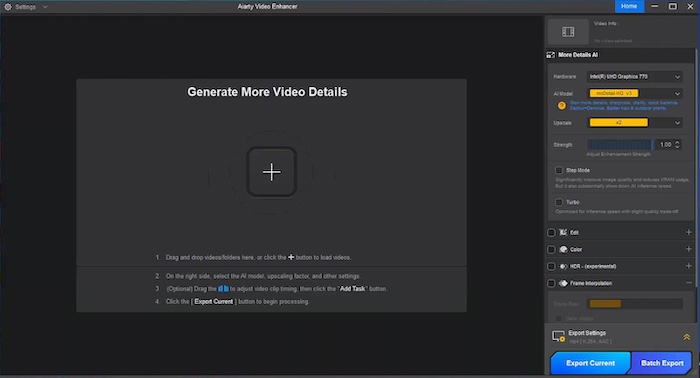
Set your Hardware to GPU, then choose the model suited to your footage:
- moDetail-HQ v2 to enhance sharpness, detail, and overall clarity.
- Smooth-HQ v2 for restoring flawed footage while maintaining texture consistency and accurate color.
- superVideo vHQ to improve extremely noisy, low-light, or dark interior clips.
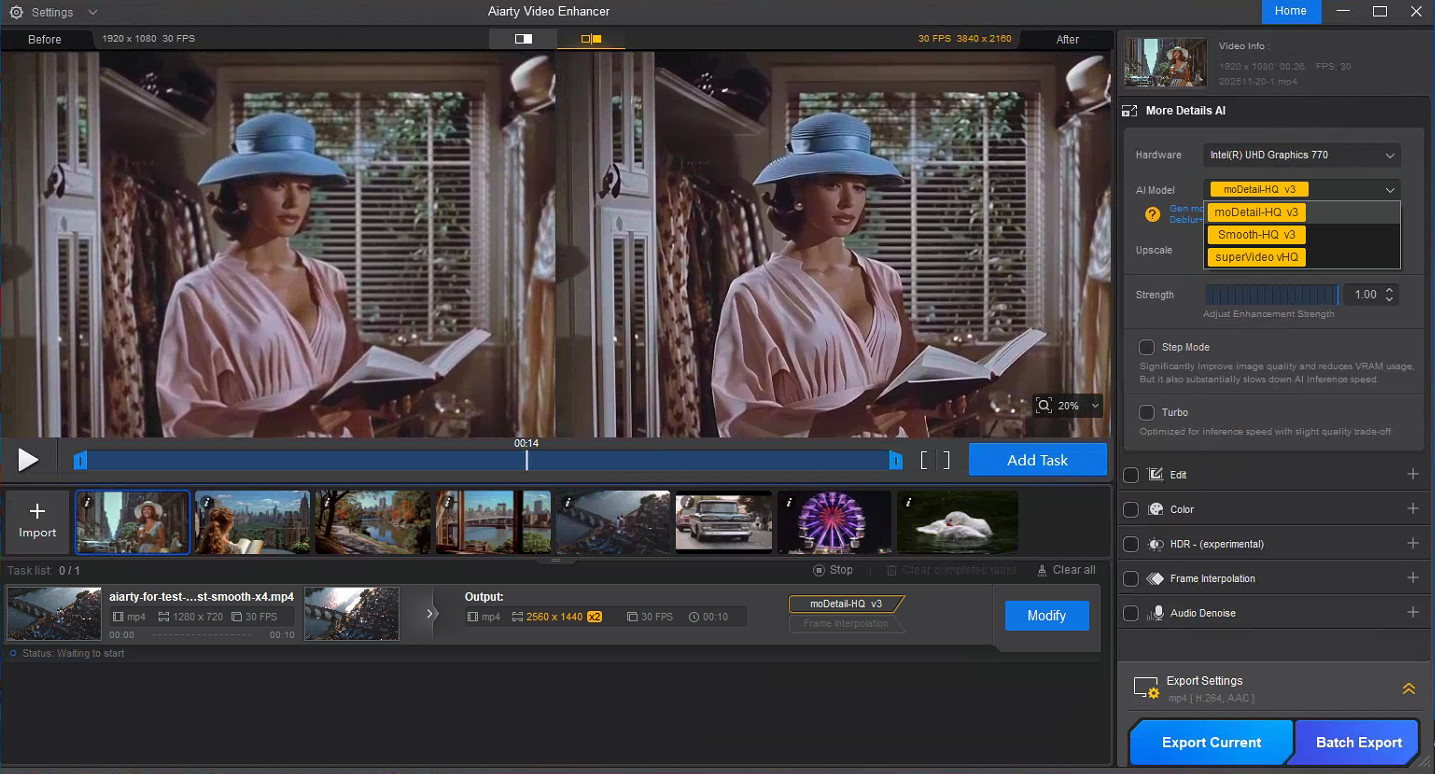
Step 3. Upscale old movie to your target resolution
Open the Upscale dropdown and select your desired resolution. You can upscale low-resolution clips to 720p, 1080p, 4K, or apply 2×, 4×, or a custom scaling factor to suit your project. And set the Strength to high level unless your source old film is extremely in low resolution.
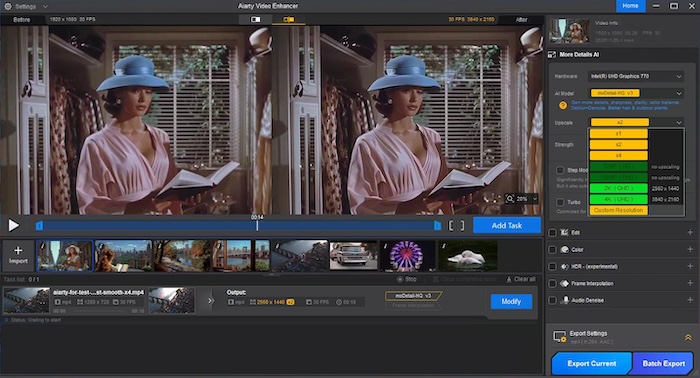
Aiarty will then run inference and begin repairing blur, grain, and compression artifacts in the background. Once finished, the Preview window shows a side-by-side before-and-after.
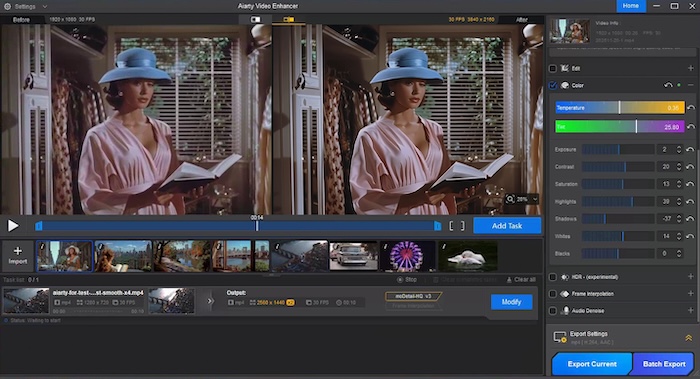
Step 4. Fine-tune the color
If the footage looks faded or yellowed, tick on the Color option. You can fine-tune temperature, tint, contrast, saturation, and more to restore the film’s original tone.
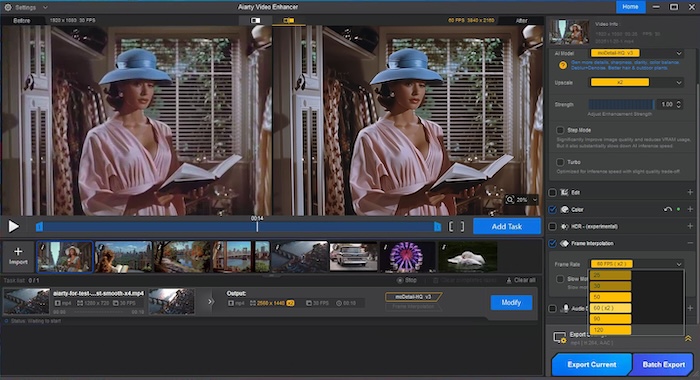
Step 5. Boost FPS to smooth the motion (optional)
If your footage suffers from classic low-frame jitter or choppy motion, enable the frame interpolation feature and choose your desired FPS such as 30fps, 50fps, 60fps, and even 120fps etc. to smooth it out. Motion becomes natural, while still respecting the original cinematic style.
Step 6. Preview and export.
When you’re ready, hit Add Task, then Export Current, and let Aiarty work its frame-by-frame magic. Depending on your footage length and target resolution, it might take a while—but trust us, the results are worth the wait.
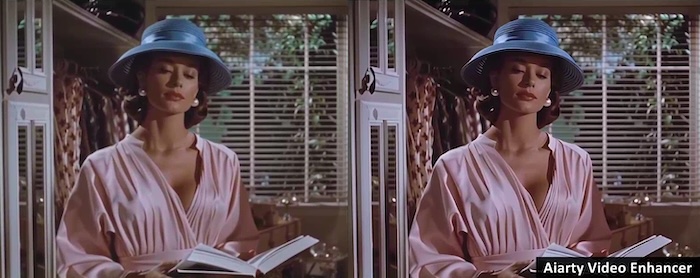
Now, let’s compare the final result with the original footage. Watching the before-and-after side by side highlights the improvements in clarity, color, motion, and overall cinematic quality.
Who Aiarty Video Enhancer Is Really for
Traditional restoration still has its place for prestige remasters, but Aiarty Video Enhancer shifts the landscape for everyone else. Tasks like scratch cleanup, jitter correction, and color balancing are automated, allowing professionals to focus on creative decisions rather than grunt work.
Aiarty Video Enhancer isn’t only for families digitizing old tapes. It has become a go-to tool for:
- YouTube creators restoring public-domain classics
- Indie filmmakers revisiting early shorts for festivals
- Archivists working with fragile documentary footage
- Enthusiasts breathing life into forgotten reels
The biggest surprise is accessibility. You don’t need a studio, expensive gear, or a vault of restoration knowledge, just a computer and some patience. AI does the heavy lifting; you simply guide it.
Pricing and Availability
Aiarty Video Enhancer currently offers a 36% discount on its lifetime license for three computers at $149 and $69 for 1-year license. Compared with subscription plans, the lifetime option is more affordable over time and includes free future updates.
Restoration is rarely a one-time task. Creators revisit old projects as archives grow or materials resurface. A lifetime license ensures you can restore films whenever inspiration arrives without worrying about recurring fees.
Final Thoughts: Saving the Past with the Tools of the Future
Cinema has always evolved alongside technology, from celluloid to digital to the AI era. But the goal remains the same: preserve stories, moments, and emotions before they fade away.
With tools like Aiarty Video Enhancer, restoring old movies is no longer a privilege reserved for big studios. Anyone, from casual enthusiasts to dedicated archivists, can bring forgotten footage back to life, frame by frame, detail by detail.
Time may not be kind to old films, but for the first time, we have the tools to fight back, and maybe even win.